01 · Where things stand today
The hard part is already done — the content is there and it’s kept current
Credit where it’s due: the folks who maintain huusd.org keep the board page stocked with everything a resident needs — schedules, guides, policies, news, the member roster. This proposal doesn’t redo any of that work; it regroups it so more people can find it.
What’s on the page now — all real, all maintained
- Quicklink tiles — Board Meetings, Workgroups & Committees, Policies & Procedures, Act 46, and more
- About the Board — the 14-member structure, Vermont board duties, the 2019 vision statement
- Current board members — the full member grid with towns and terms
- School Board news feed — auto-published from the district CMS
The opportunity
- Meetings, agendas & minutes, policies, and budget live on separate pages — a shared sub-nav would put them one click apart
- The guides for commenting before a vote already exist — surfacing them would turn readers into participants
- The Board’s letters and testimony are published in many places — gathering them gives that work a home on the site
Exhibit AThe current website — huusd.org/board as it exists today
https://huusd.org/board
Open ↗
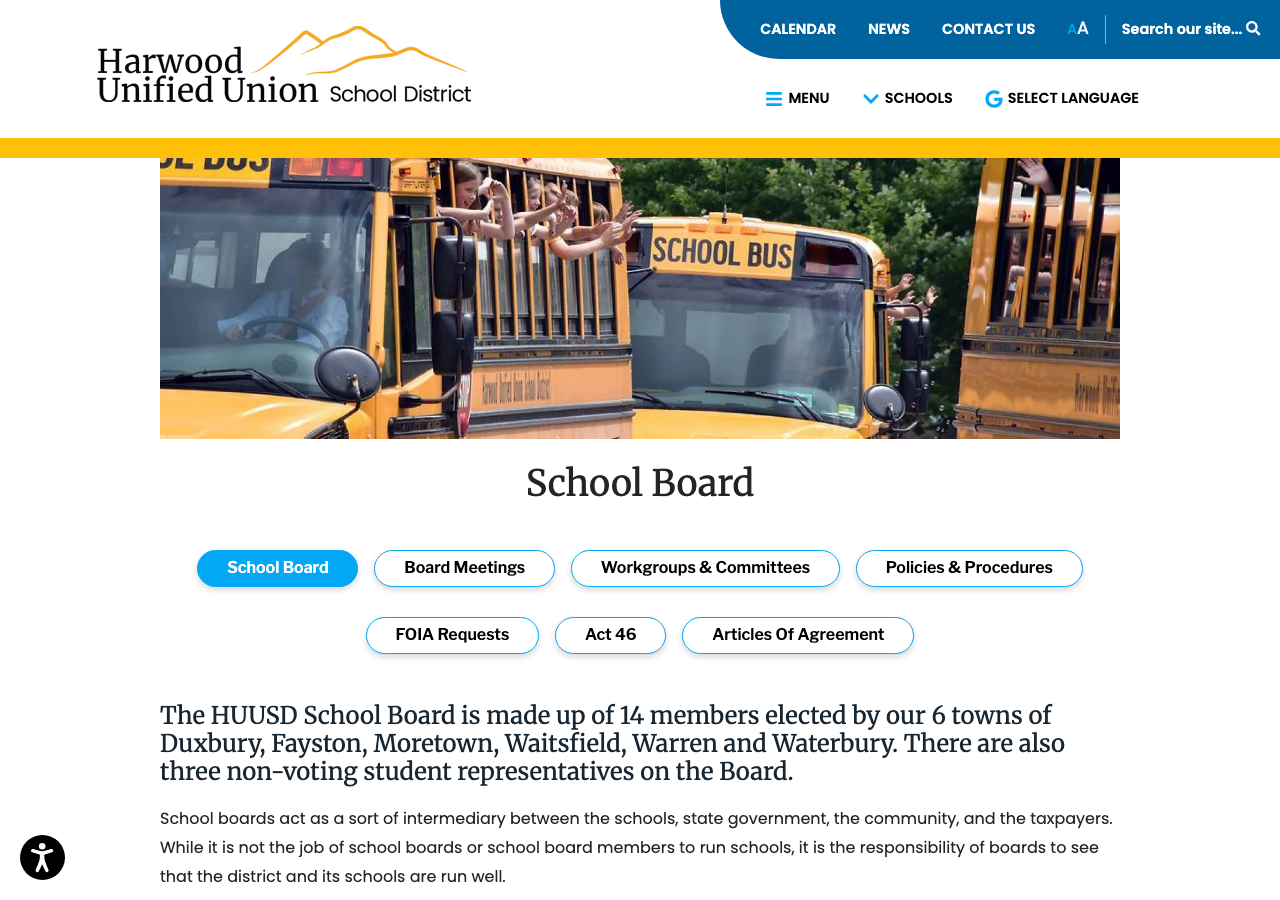
Open in a new tab to compare side-by-side with the prototype.
02 · The choices we made & why
Four deliberate choices shape this proposal
Choice 1 · Organization
Organize by what a resident wants to do — not by filing cabinet
Instead of sections named after document types (Agendas & Minutes, Policies…), the board area becomes five sections that map to resident tasks: understand the Board, follow its work, and take part.
Choice 2 · Content
Keep every word of the existing content
This is a reorganization, not a rewrite. The about text, member grid, news feed, and links are the live CMS content, regrouped. The few sample blocks are clearly marked in the prototype.
Choice 3 · Safety
One stylesheet, provably scoped to the board section
All new styling lives in a single CSS file in which every rule is scoped under the board page’s own container — so it cannot affect any other page on huusd.org. A script verifies this automatically.
Choice 4 · Voice
Make the Board’s thinking easy to find
Issue pages give a short framing, then curate the best links — the Board's own letters and testimony, district documents, and outside resources that come up in discussion. The Board approves the initial content and any updates by vote.
The result: five sections, one simple menu
The Boardwho serves & how it governs
Meetingsattend, watch, agendas & minutes
Communicationsthe Board in its own words
Key Issuesplain-language briefs, incl. budget
Get Involvedcomment, write, take part
North star: make the work of the Board accessible — easy for a resident to understand how the Board works, what it’s deciding, and how to participate. The visual refresh earns attention; the substance is the point.
03 · The new design
The same site, reorganized
The prototype uses the real HUUSD header, navigation, and footer — the reorganized board area drops in where the current board section lives. Screenshots from the live prototype; open it to click through yourself.
OverviewNext meeting date up front, then five sections one click apart
huusd-board-preview.pages.dev
Open ↗
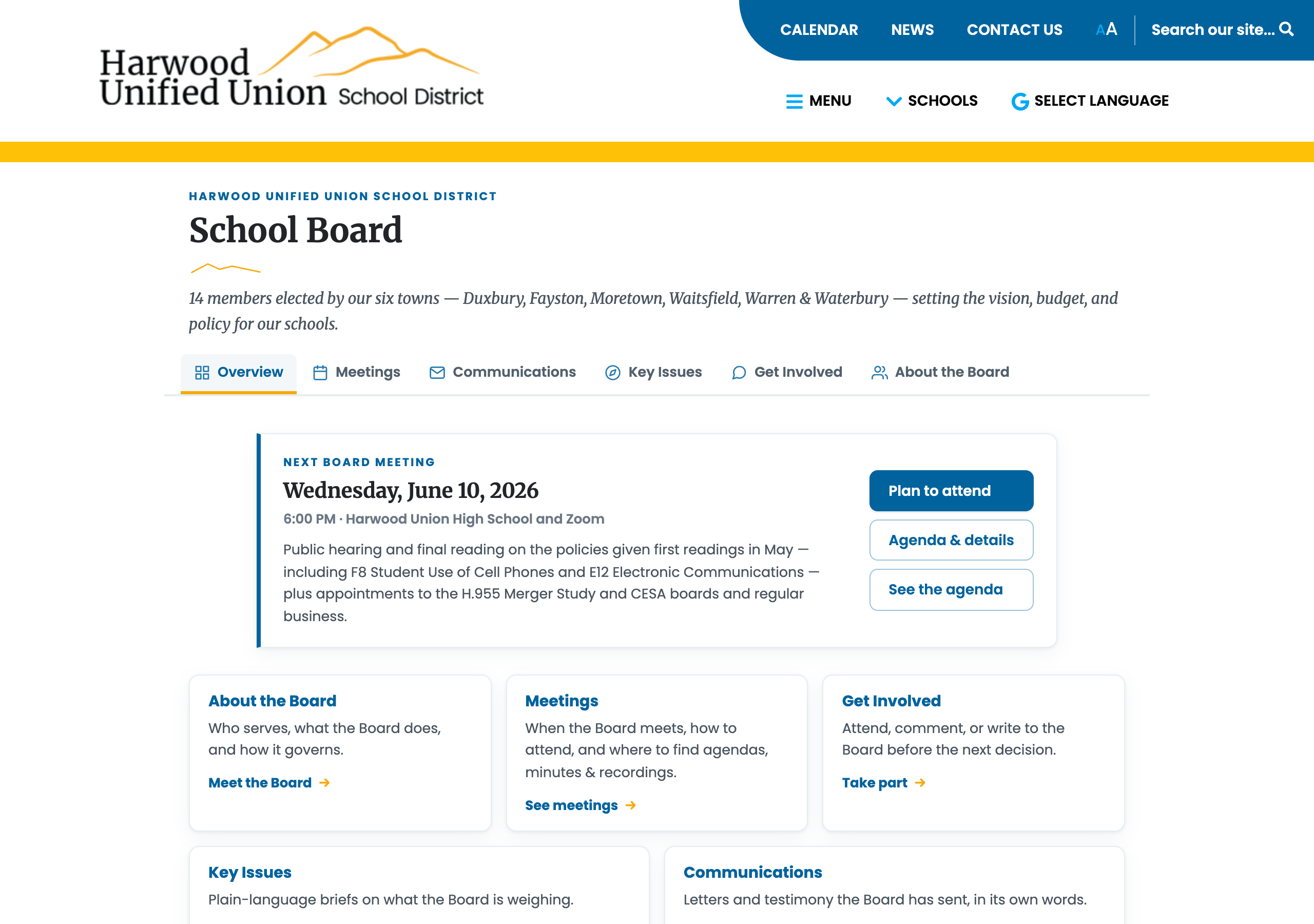
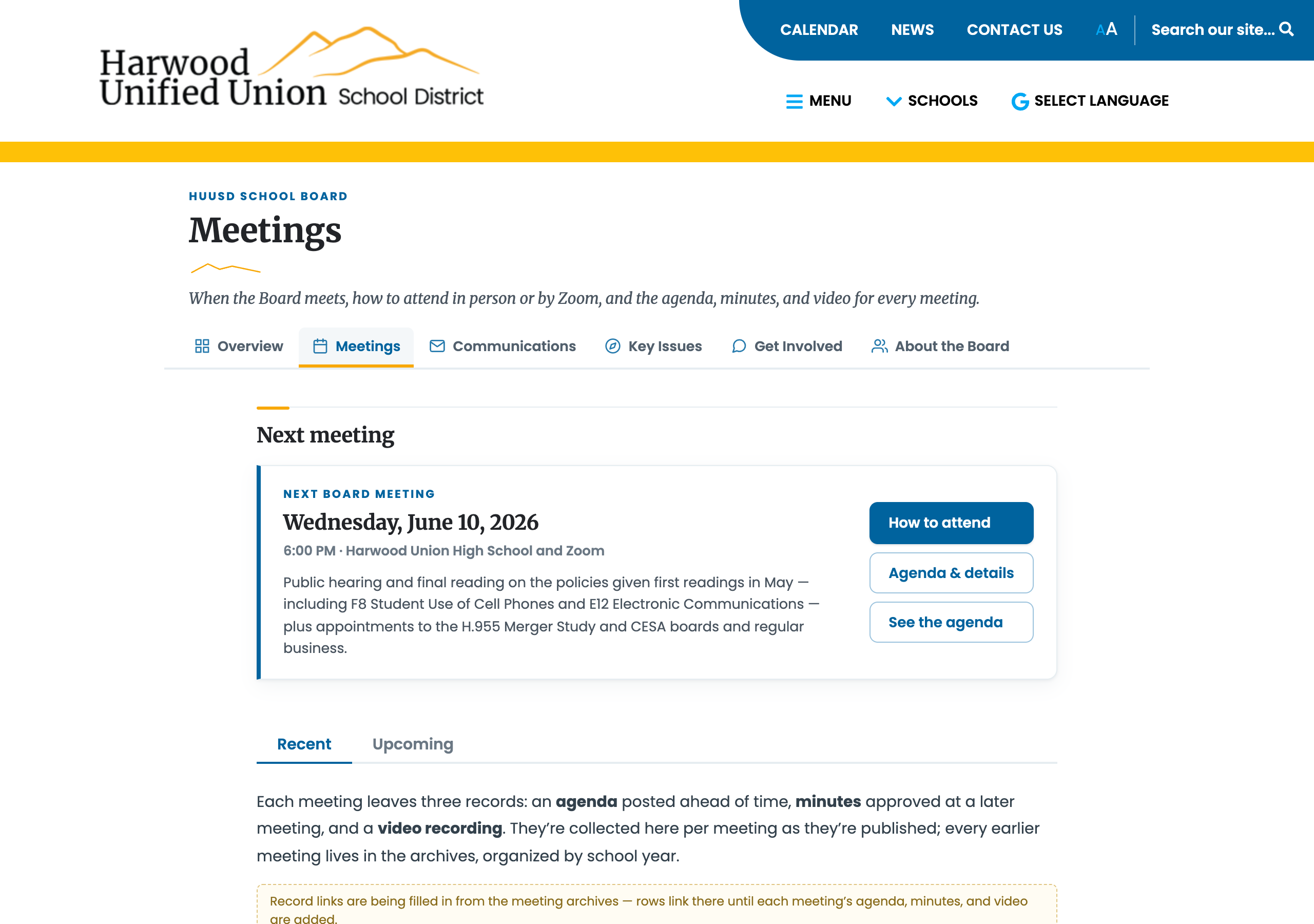
MeetingsNext meeting CTA, compact full-year schedule, “Add to calendar”
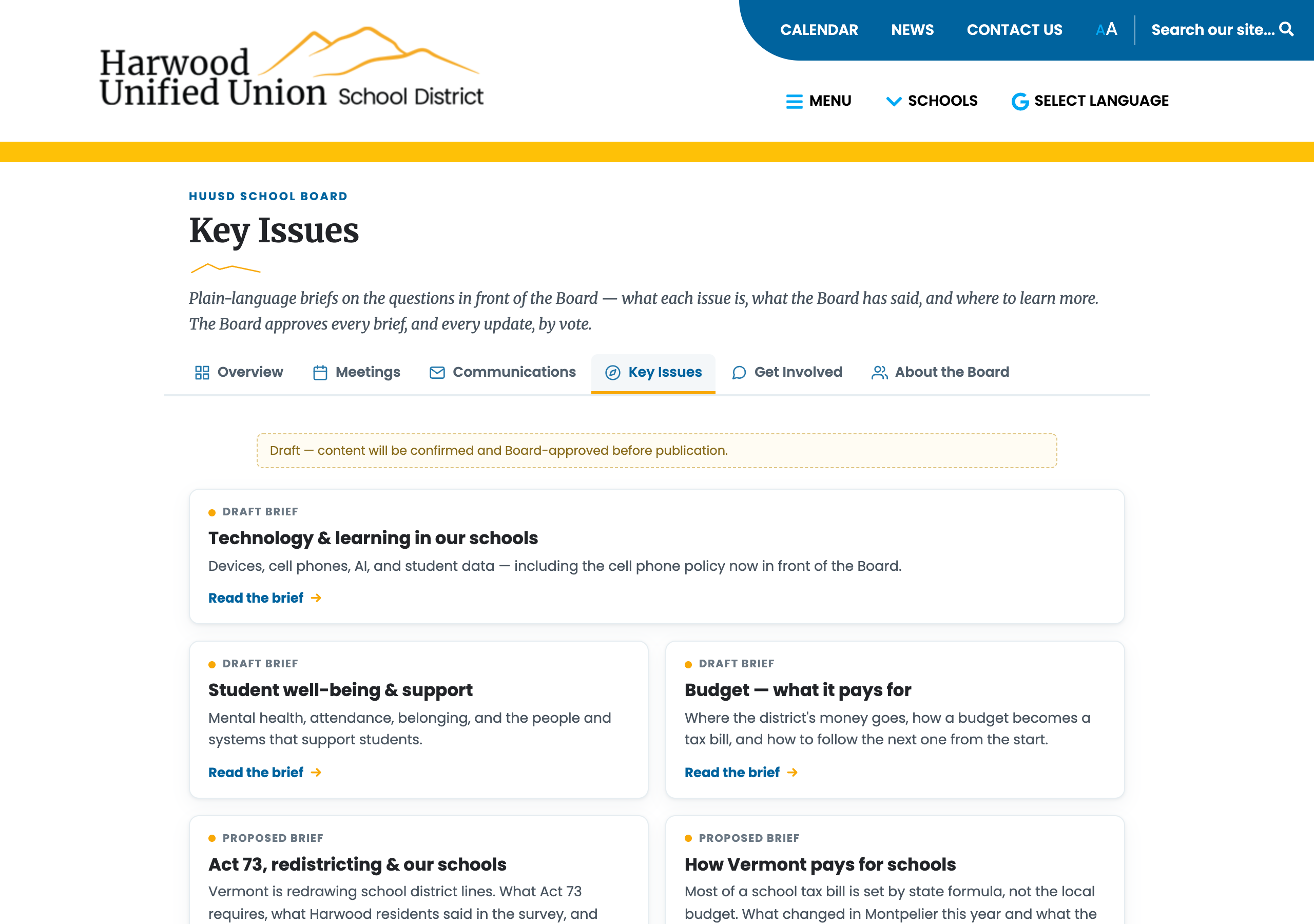
Key IssuesFive plain-language briefs, each Board-approved before going live
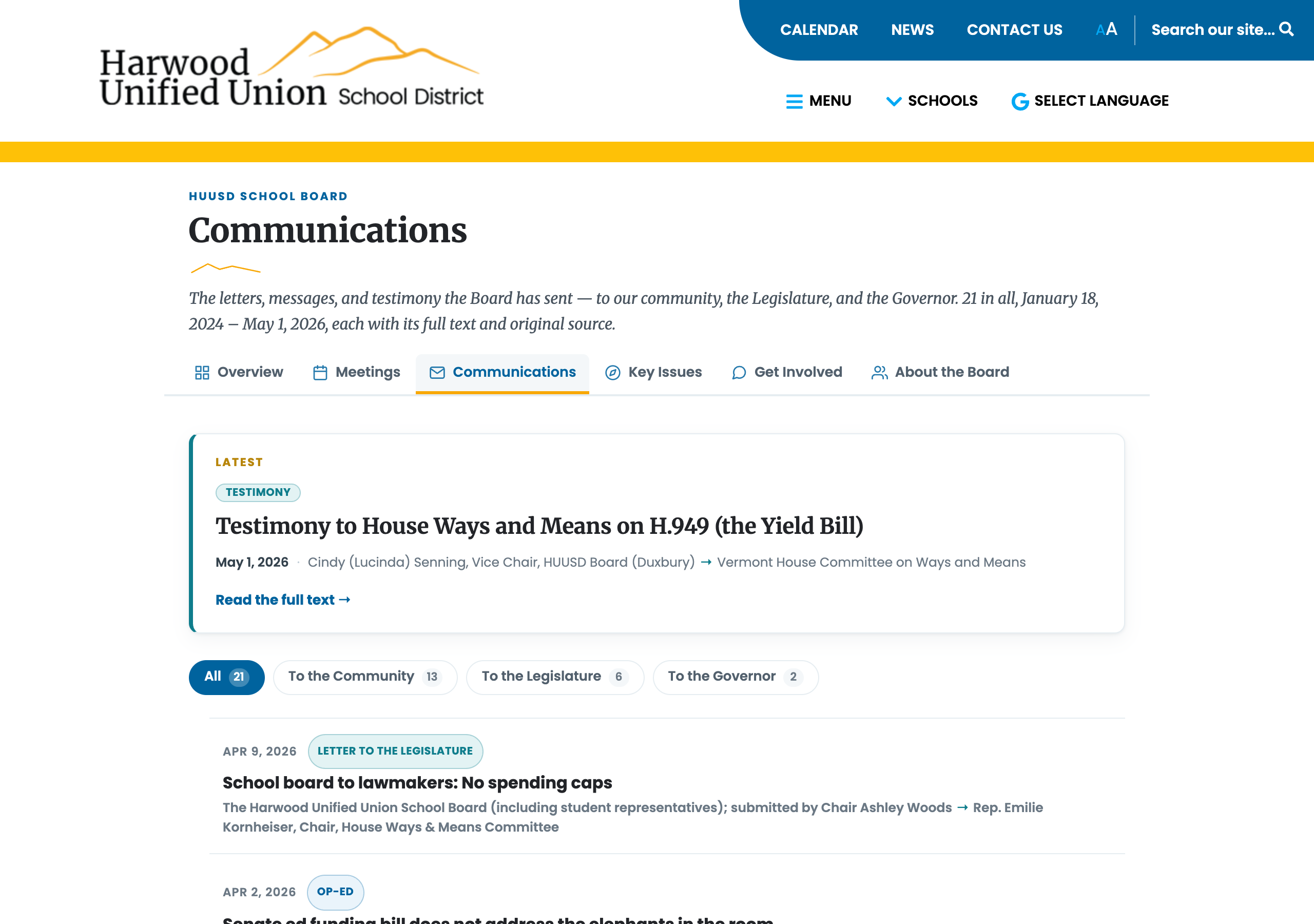
Communications21 Board letters & testimony, browsable in one place
Open the full prototype ↗
All six sections, fully browsable — no password, nothing to install. A gold banner marks every page as a work in progress.
04 · Key features & how it works
The Board’s public record, made easy to follow and act on
A resident can read what the Board has said about an issue, understand it in plain language, and weigh in — without leaving the board section.
Communications
What’s been said
The Board’s 21 public letters, community messages, and testimony — real, verbatim, each linked to its published source. Filterable by audience: community, Legislature, Governor.
→
Key Issues
Understand it
Short pages: a plain-language framing of each issue, what the Board has said — linked to its letters and testimony — and curated outside resources from discussion. The Board votes to approve new briefs and every update. Budget lives here as “what it pays for.”
→
Get Involved
Weigh in
One page: how public comment works, how to write to the Board, and how to serve on it — instead of scattered across the site.
Also in the redesign
- A compact board sub-nav on every page — the five sections plus Overview, so nothing is more than one click away
- Each meeting has its own page — the posted agenda is embedded inline from Google Drive; minutes and recordings appear as they’re published. Download the full-year schedule as a .ics calendar file.
- An overview hub, not a wall — the landing page leads with the next meeting date and routes to the five sections; it updates automatically as meetings are added
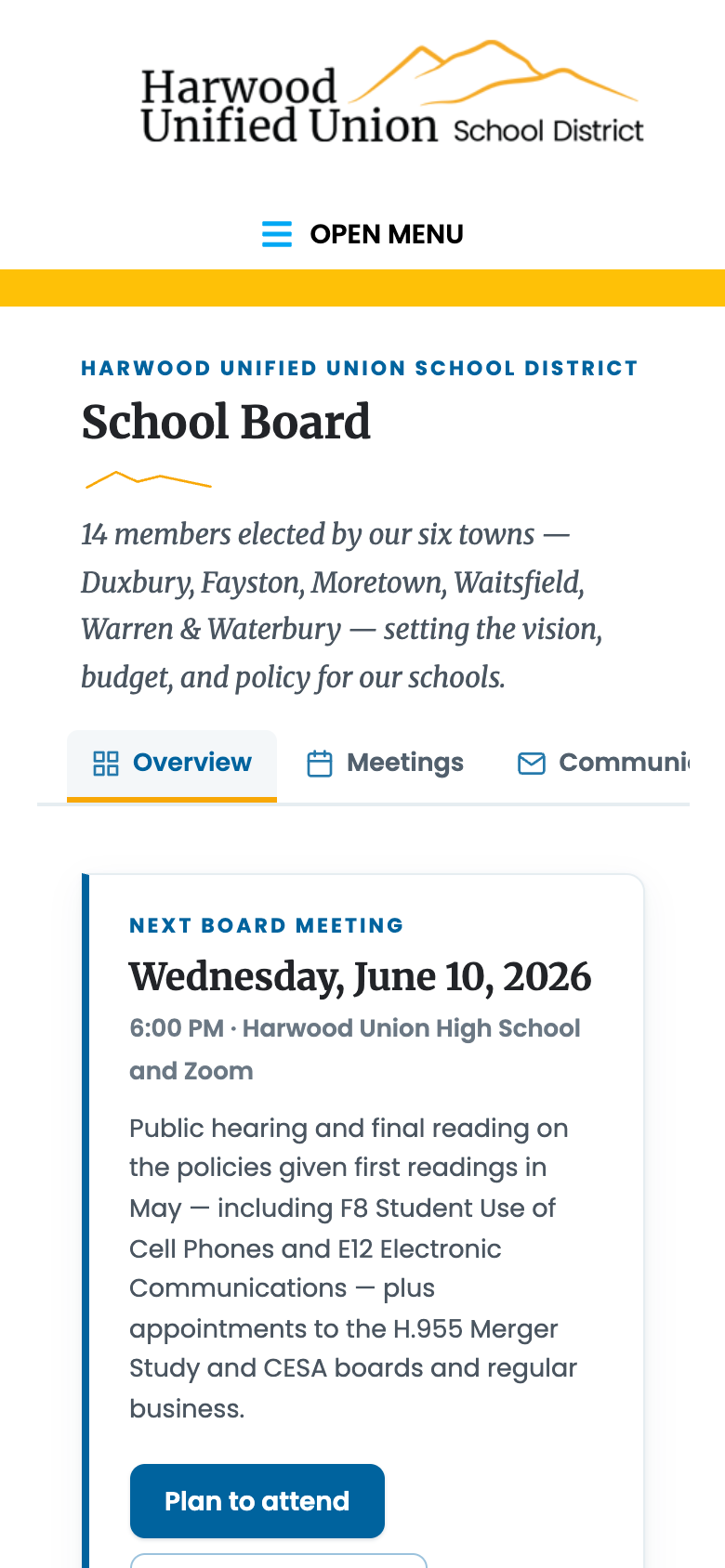
- It’s responsive — the same pages reflow for phones, where many residents will read them →
MobileOverview on a phone — next meeting CTA above the fold
05 · Just as important
What this is not
The proposal is deliberately narrow. It lives entirely inside the board section of the existing site.
- Not a new website — and not a replacement for huusd.org
- Not a CMS change — the district’s existing system keeps publishing the content, exactly as it does today
- Not a touch on any other page — the stylesheet is provably scoped to the board section; nothing else on the site can shift
- Not an edit to the site’s global styles — the new CSS layers on top; the site’s stylesheet is untouched
- Not a new content burden — no hand-maintained blocks; recurring items come with fill-in-the-blanks templates
- Not a black box — where the Board stands is in its own words: its letters, testimony, and the issue pages it votes to publish
And it’s reversible: the whole thing comes out by removing a single stylesheet line.
06 · Engagement group & upkeep
How the content stays current
Each content type follows the same loop: assign a draft, review at the Engagement Committee, bring to the Board for a vote. Nothing goes live without that vote. No one person owns the website.
Step 1
Assign a draft
The Engagement Committee assigns each issue brief, committee update, or resource list to an individual member to prepare a first draft — following the template.
→
Step 2
Review at committee
The Engagement Committee meets to discuss the drafts together — refine the framing, agree on the links, flag anything that needs the full Board’s input.
→
Step 3
Board votes initial content
The committee brings reviewed drafts to the full Board for an initial vote. Nothing goes live without that vote — this is when the content becomes official.
→
Ongoing
Updates follow the same loop
New letter, updated resource, roster change — assign a draft, review at Engagement Committee, bring to the Board for a vote. Same loop every time.
Content types & who typically drafts them
Issue brief
Assigned to an individual at the Engagement Committee — typically the member closest to the issue. They draft the framing and curate the links; the committee reviews; the Board votes.
As issues come up
Letter or testimony
One file per piece: date, title, sender, audience, source link, then the verbatim text. Drop it in after the Board sends it — no vote needed since the letter itself was already a Board action.
As the Board sends them
Meeting & roster info
Meetings link to the schedule docs the district already maintains. Committee badges on the member roster are reviewed by the Engagement Committee and voted on with the initial content.
Each year or as needed
The goal isn’t a polished website. It’s a Board that has decided — by vote — what the community should know about its work.
Suggested first step: at the next Engagement Committee meeting, assign a draft for the three established briefs (Technology & Learning, Student Well-Being, Budget) and review the two proposed additions (Act 73 & redistricting, Vermont pays for schools). Bring reviewed drafts to the following Board meeting for an initial vote. From there the update loop is in place.